📌 Release Notes

Released July 2025
Release 1.20 delivers significant accessibility improvements to meet WCAG 2.1 AA standards, introduces powerful new content features including the Image Comparison Slider block, and enhances survey capabilities with better revision tracking and progress control options.
Major Features ⭐️
Introducing Image Comparison Slider!

We’ve added a new interactive content block that allows you to showcase before and after images with a sliding comparison tool:
- Perfect for demonstrating project transformations, development proposals, or environmental changes
- Multiple display modes including original, 1:1, 16:9, and 4:3 in both landscape and portrait
- Includes full keyboard accessibility with arrow key navigation
Add an Image Comparison Slider
To use this feature, look for “Image comparison slider” under the “Images” category when adding content blocks to your pages. Learn more about content blocks and groups, and check our Image Dimensions Cheat Sheet for optimal image sizing recommendations.
Map Address Search
Users can now search for specific addresses on maps, making it easier to find location-based information relevant to them:
- Search functionality available on map pages, map blocks, idea boards with maps, and map feedback tools
- Auto-complete suggestions help users find addresses quickly
- Maps automatically centre and zoom to searched locations
- Toggle option in map settings to enable or disable search per map
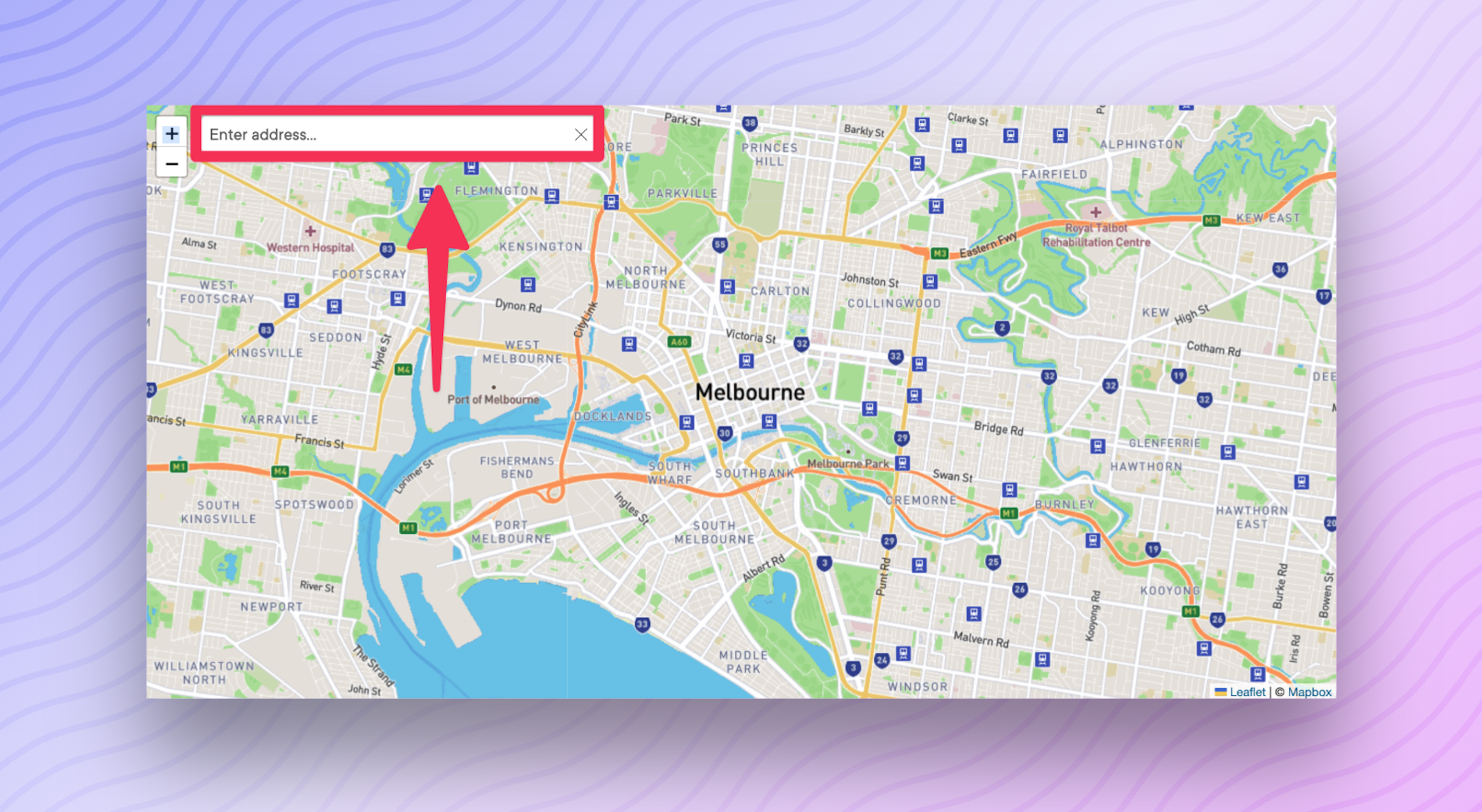
Find out more about setting up this feature in our guides for creating project maps and creating map feedback tools.
Accessibility Improvements
We’ve made comprehensive accessibility enhancements across the admin dashboard to meet WCAG 2.1 AA standards:
- Full keyboard navigation support for all menus, dropdowns, and interactive elements
- Improved screen reader announcements for buttons, multi-select dropdowns, and navigation elements
- Clear focus indicators on all interactive elements
- Standardised dropdown behaviour with
escapekey support - Proper labelling for all form elements and controls
Minor Features ✨
Survey URL Analytics Widget
Track where your embedded surveys are being viewed and submitted from:
- New “Form analytics urls” widget available in reporting dashboard
- View submission counts by URL for embedded surveys
- Track views and submissions from external websites
To use this feature, go to any survey’s report page and add the “Form analytics urls” widget from the Survey widget category. Learn more about participation tool widgets.
Survey Progress Control
A new toggle option for participation tools gives you control over whether user progress is automatically saved:
- Find “Save progress automatically” checkbox in participation tool settings
- Particularly useful for embedded surveys where page context matters
Learn more about configuring this setting in our survey creation guide.
Enhanced Survey Revisions
Survey revision logs now provide much clearer information about changes:
- Clear indication of questions added, updated, or removed
- Changes to question options are tracked and displayed
- Survey settings changes included in revision history
Bug Fixes 🐞
- Fixed incorrect caching of form analytics widgets that was causing data to appear on wrong surveys
- Resolved focus trap issues in dropdown menus preventing keyboard navigation
- Fixed missing labels on various admin dashboard buttons for screen readers
- Corrected keyboard navigation behaviour in search/filter components
- Fixed focus issues when adding reporting widgets with table columns
Many of these enhancements have been driven by customer feedback and our commitment to accessibility. If you encounter any issues with this release or have questions about the new features, please reach out to the District Engage Support Team.


