📌 Release Notes

Released 28th August 2025
This styling and theming release transforms how you can customise your District Engage site’s appearance. Release 1.22 introduces extensive new styling options, homepage controls, and accessibility improvements to create more engaging and inclusive experiences for your community.
Major Features ⭐️
New Styling and Theming System
We’ve expanded District Engage’s appearance customisation capabilities with a comprehensive suite of new styling options that give you more control over your site’s visual identity.
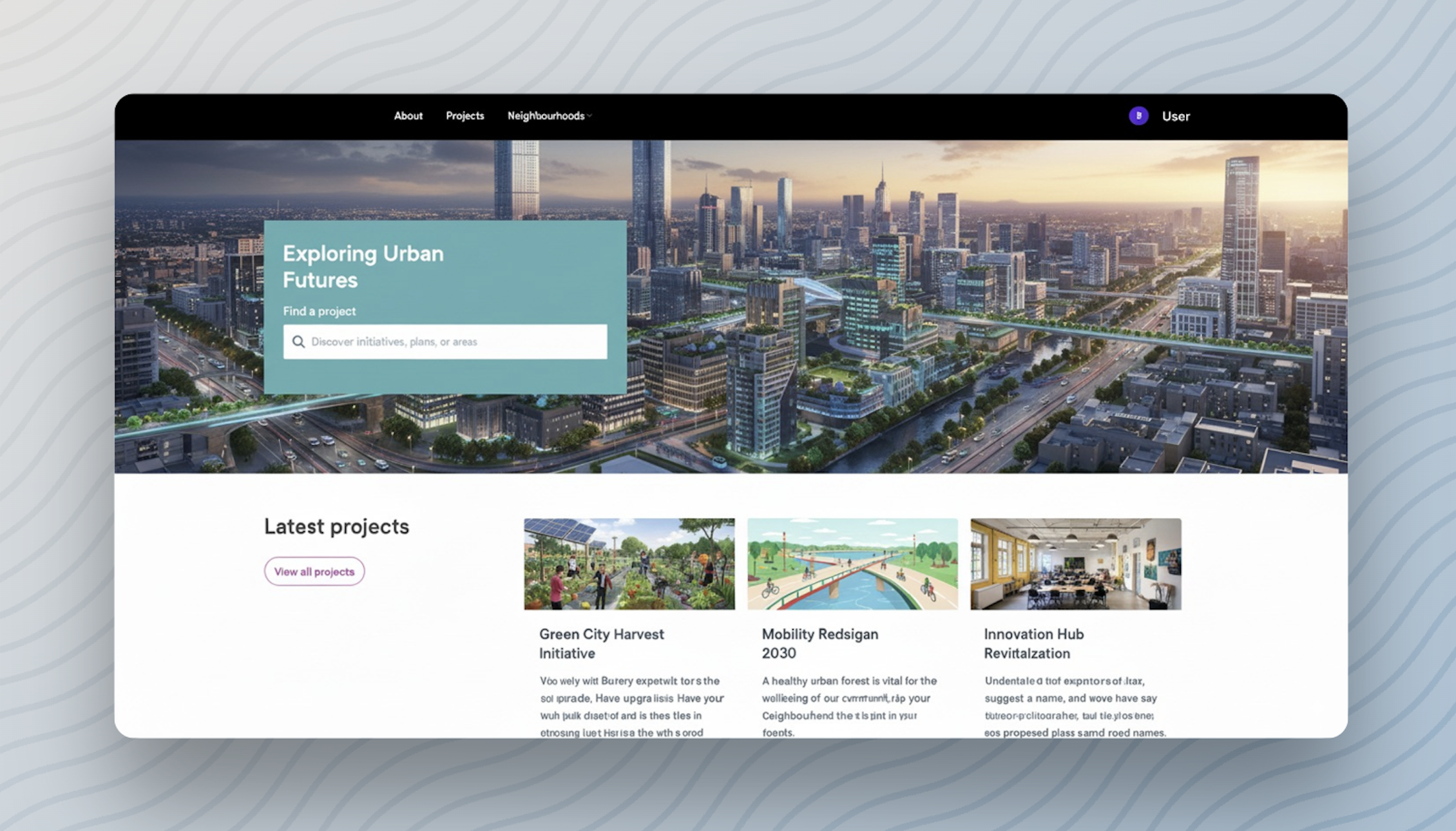
Key Styling Options
- Spacious Theme Style: A modern, clean aesthetic that provides more breathing room between elements and follows contemporary government website design patterns.
- Flexible Navigation: Position your main navigation to the left, centre, or right to match your organisation’s brand guidelines and user expectations.
- Enhanced Content Groups: New background colour options for highlighted content groups using your site’s palette colours, with intelligent text contrast adjustment for optimal accessibility.
Advanced Homepage Customisation
Your homepage is often the first impression visitors have of your engagement site. We’ve introduced powerful new controls to help you create compelling homepage experiences:
Hero Style Options: Choose between default hero layouts or wide image formats that make visual impact with full-width imagery.
Search Integration: Toggle homepage hero search forms on or off to match your engagement strategy.
Registration CTAs: Configure custom call-to-action text for user registration directly in the hero section.
Title Positioning: Control how relationship block titles appear across your content with flexible positioning options (top, left, right).
These homepage enhancements work seamlessly with all existing District Engage themes and can be configured through Settings > Home page in your admin dashboard.
Complete Styling Guide Now Available
We’ve created a comprehensive guide to all styling and appearance configurations. Check out our new Complete Guide to Site Styling and Appearance to learn how to make the most of these powerful new theming options.
Accessibility Improvements ✨
Continuing our commitment to inclusive design, Release 1.22 delivers significant accessibility enhancements across both frontend and backend interfaces:
- Enhanced focus states for better keyboard navigation visibility
- Improved contrast ratios for password field icons and interactive elements
- Better screen reader support with proper ARIA labelling
- Accessible dropdown menu navigation with focus trapping
- Keyboard-accessible mobile hamburger menu with proper focus management
- Enhanced “show more/show less” link functionality with visual direction indicators
- Improved image gallery controls with consistent focus states
- Corrected postcode field labelling (no longer displays as “Location”)
- Enhanced filter dropdown accessibility with keyboard navigation
- Better autocomplete attributes for registration forms
- Improved breadcrumb link visibility and interaction
Bug Fixes 🔧
- Emails now properly display your organisation’s name instead of “District Engage”
- Fixed visual issues with the Kiwi theme when using wide hero layouts
- Resolved background colour display problems with tabs and accordion group layouts
- Corrected hamburger menu icon alignment across different themes
- Addressed focus state inconsistencies in image gallery fullscreen controls
- Improved navbar positioning when site-wide messages are active
Theme Compatibility
All new styling options are opt-in and won’t affect your existing site appearance until you choose to enable them. Your current theme and customisations remain unchanged.
Many of these enhancements and fixes have been requested by our customers and represent our ongoing commitment to providing flexible, accessible, and visually appealing community engagement tools.
If you encounter any issues with this release or have questions about the new styling features, please reach out to the District Engage Support Team.


